API INJECTION
Check supported action paths
Connect through the platform’s APIs. Choose the agent action paths you need to protect and verify where the integration can enforce a decision.
 AckuityRequest assessment
 INTEGRATIONS / MICROSOFT COPILOT STUDIO
Connect Microsoft Copilot Studio to Ackuity through its native platform integration. No Kubernetes sidecar inside your hosted agent.
IN THE PRODUCT
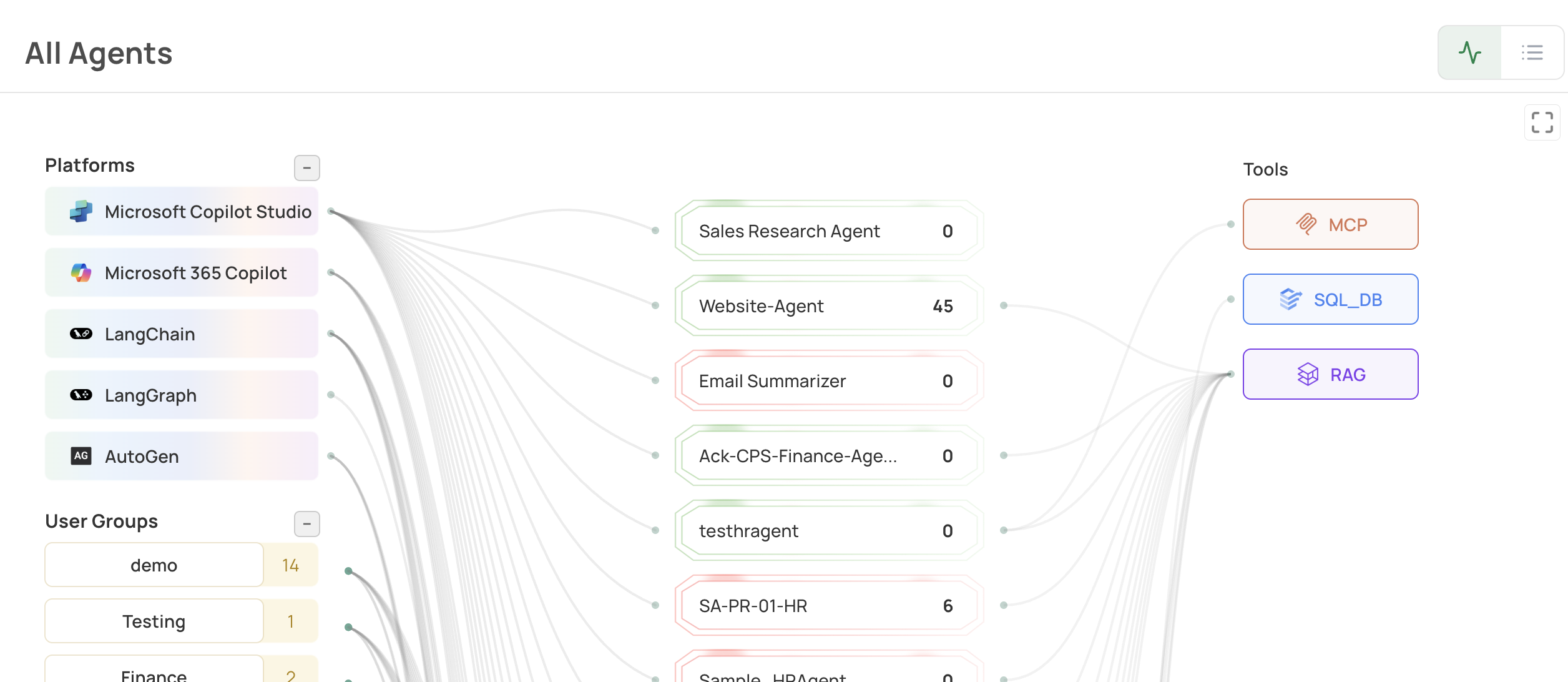
The platform view includes Microsoft agents alongside code-first frameworks. Copilot Studio uses the API integration route; the Kubernetes sidecar is a separate deployment option.
THE CONNECTION
Ackuity is the Agent Execution Control Switch. Its deployment options include API injection for hosted platforms such as Copilot Studio, a sidecar for Kubernetes agents, and event pull for observation. A sidecar is not the only way to connect.
API INJECTION
Connect through the platform’s APIs. Choose the agent action paths you need to protect and verify where the integration can enforce a decision.
EVENT PULL
Read existing agent events to review activity and exposure. Observation can inform priorities, but it does not stop an action before it runs.
BEFORE ROLLOUT
Setup and coverage depend on your environment. A connected API or a visible event is not proof that every action can be intercepted. Keep Microsoft’s native identity, permission and platform controls in place.
Use the AI agent security evaluation checklist to record permissions, supported action paths and target outcomes. For the broader category, explore AI agent security with Ackuity.
MICROSOFT ECOSYSTEM
Ackuity is a Microsoft for Startups member and a Standard participant in Microsoft’s Frontier Accelerate for Marketplace, an offering within the Microsoft AI Cloud Partner Program. The product’s native Copilot Studio integration connects Microsoft agents to the same Ackuity platform used for code-first agents.
YOUR QUESTIONS, ANSWERED
No. Ackuity supports API injection for Microsoft Copilot Studio, where an agent-side container cannot run. The Kubernetes sidecar is a separate deployment option, not a requirement for every Ackuity integration.
No. Coverage depends on the supported integration and the action paths connected to it. Confirm the actions, permissions and enforcement points in your environment, then test the result in the target system.
No. Event pull reads supported telemetry for observation. It does not block actions. Pre-execution control requires a supported inline integration on the relevant action path.
No. Keep the platform’s identity, permissions and native controls. Evaluate Ackuity as a complementary control for the supported agent action paths.
Confirm the integration path, required permissions, supported actions, human-review flow and behavior when the decision service is unavailable. Use a non-production test to verify what ran, what was blocked and what reached the target system.
NEXT STEP
Tell us about the actions and systems you need to assess. We’ll confirm the integration scope for your environment.